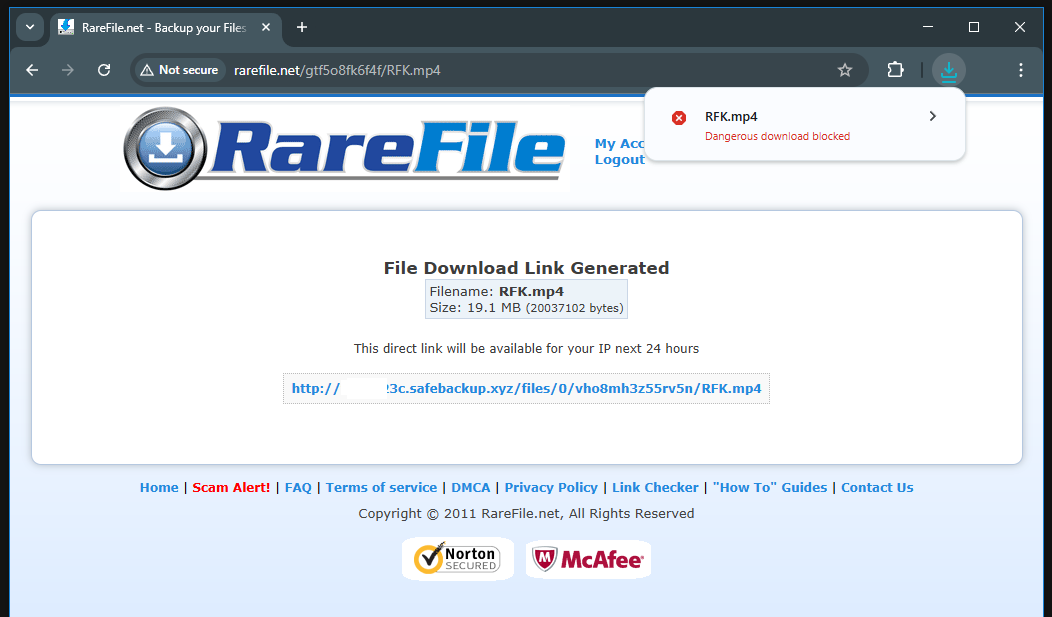
About Virus or Security Warrning on downloading from RareFile
With the latest updates, Web Browsers now perceive sites that do not use HTTPs/SSL and downloads from these sites as insecure and suspicious. And with the standard settings, it does not allow the download process, it blocks it. You need to change this setting manually.
If you receive an error message such as “Dangerous download blocked” or “Insecure download blocked” when downloading files from RareFile.net and are unable to download files, please try the settings below.
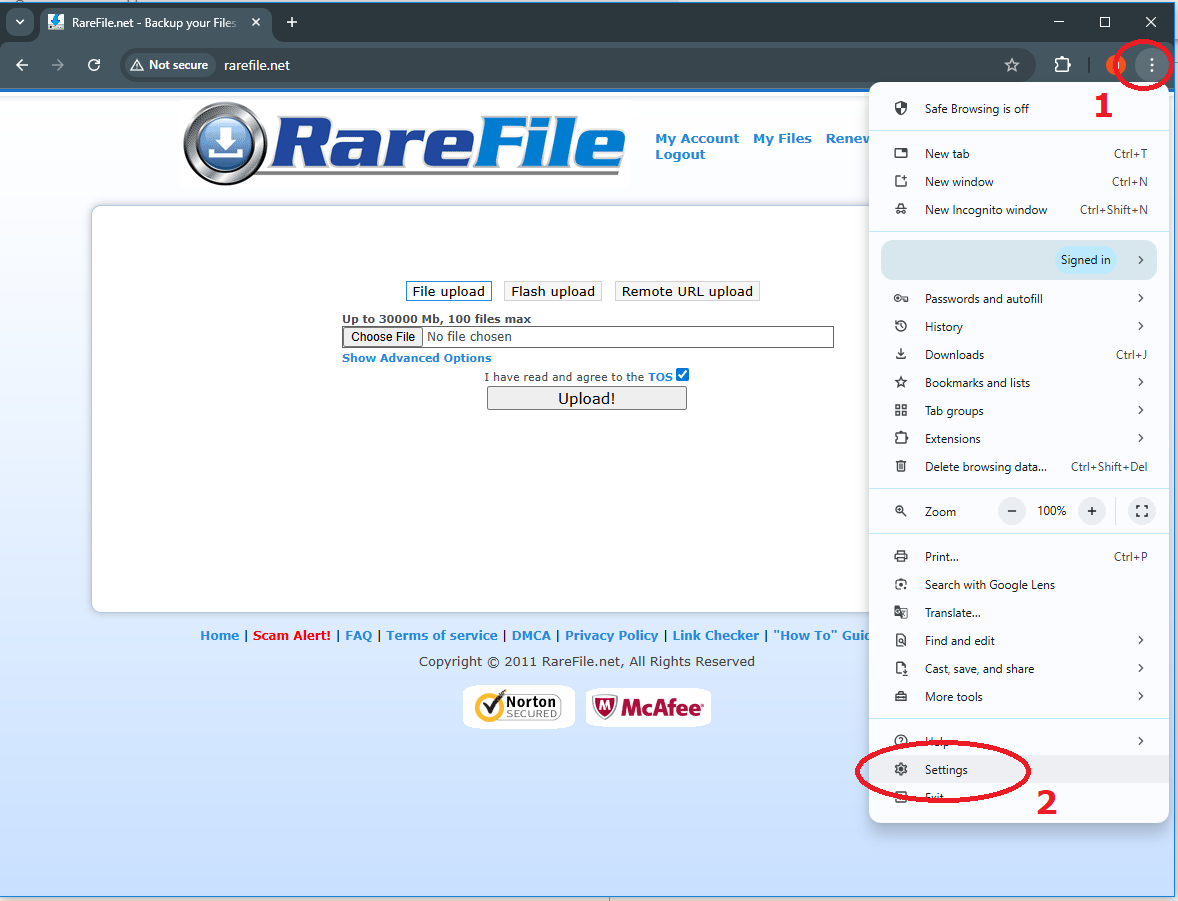
- On your computer, open Chrome.
- At the top right, select "More" (Three dots overlap) > Settings.
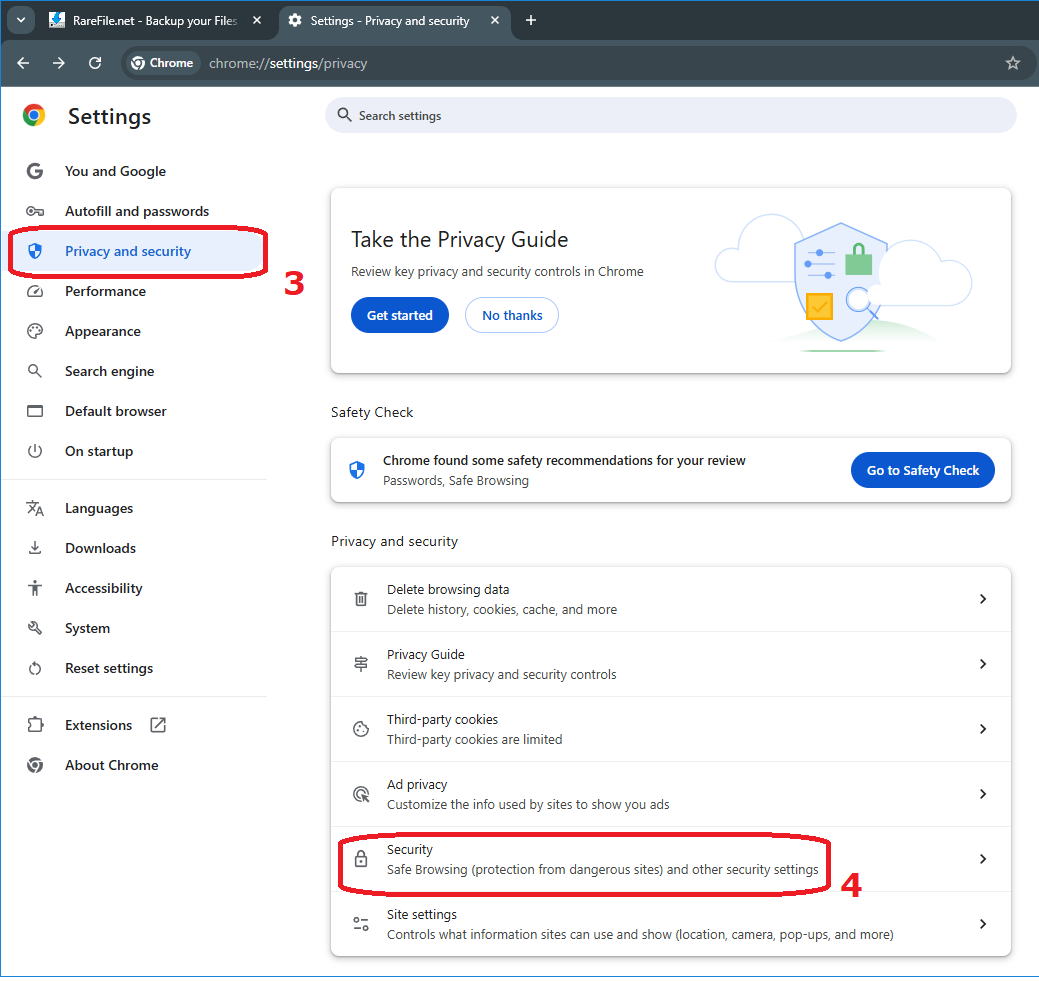
- On the left, select Privacy and security > Security.
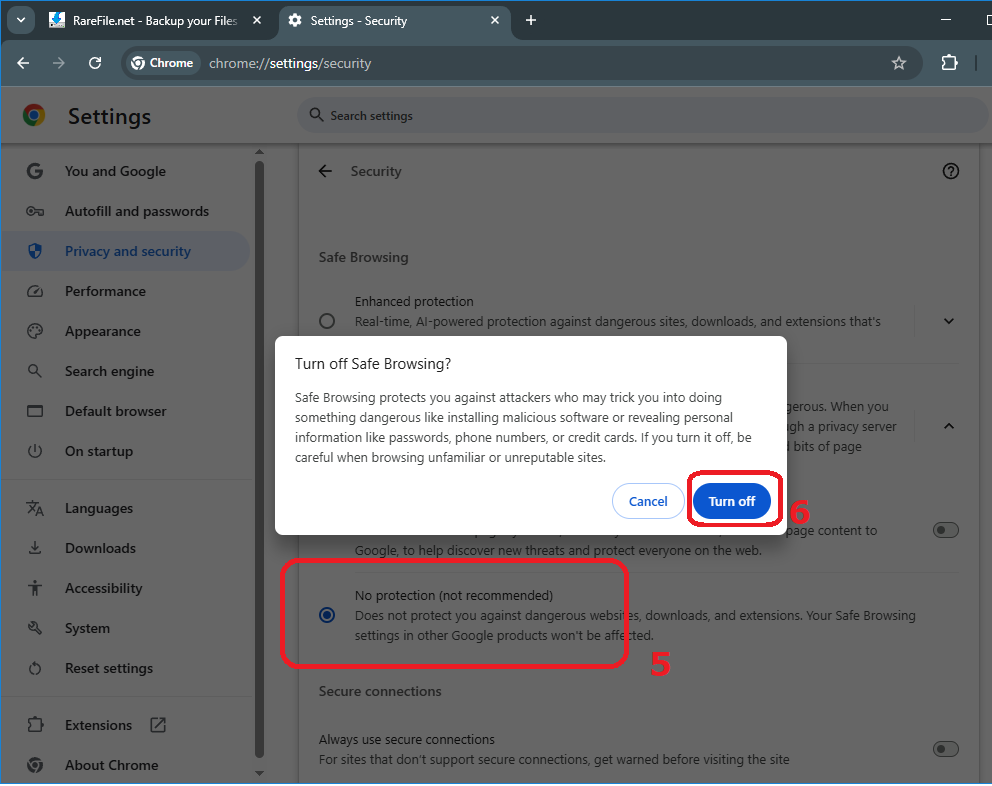
- Select the level of "Safe Browsing" > "No protection" > "Turn Off" .
Why are you receiving this or similar security warning?
RareFile.net uses an old but robust software system that unfortunately does not support HTTPs/SSL encrypted connection structure. This does not mean that RareFile.net is insecure, it just means that the communication between your computer and RareFile.net is done without encryption. Don't worry, even if we were using SSL, governments can now break SSL encryption! SSL is just a diversionary tactic.